Start with product data.
Find the imagery. Prepare the catalog.
Upload your CSV or Excel catalog, find product images across the web, choose the right ones, and refine, standardize, and export them in one workspace.
 Cold-pressed olive oilCompleted
 Botanical hand washCompleted
 Whole-grain oat crackersNeeds attention
 Stoneware serving bowlSearching
 Coastal sea saltNo result
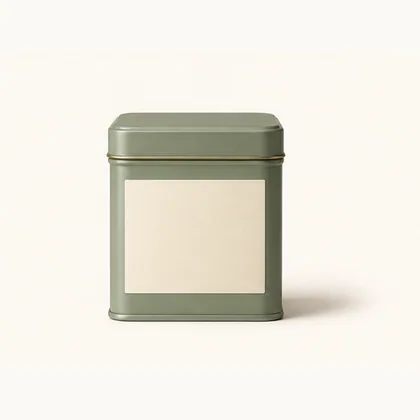 Organic green teaCompleted
Start with the product catalog you already have.
Upload the CSV or Excel spreadsheet your team already manages. Keep UPCs, SKUs, descriptions, brands, categories, and existing columns connected to every product image.
Find the product images your catalog is missing.
Search the internet using a product’s UPC, alternate barcode, SKU, or description. Review suitable image candidates while keeping every search connected to its catalog record.
SelectedStop searching for product images one product at a time.
Select the products that need imagery and organize their internet image searches into named queues. Track what has been found, what is still searching, and what needs your attention.
See what’s found. See what’s missing. Know which product needs you next.
You choose the image that belongs in your catalog.
Review available imagery and select the right image for each product. If no suitable result appears, continue searching or provide an image or product-page source yourself.
Bring the right images into one workspace.
Keep selected and existing product images organized alongside their product records. Preview, edit, refine, process, and prepare them without losing product context.
Cold-pressed olive oil850041027184Botanical hand wash689076935920Whole-grain oat crackers731284010652Stoneware serving bowl400638133393Coastal sea salt501234567890Organic green tea003600029145Make every image feel like it belongs to the same catalog.
Prepare a consistent presentation with configurable canvas dimensions, conditional background handling, product positioning, enhancement, and careful upscaling—while preserving original images.
Uneven framingDifferent backgroundDifferent scale1800 × 1800 · JPG1800 × 1800 · JPG1800 × 1800 · JPGMore than one image. One organized presentation.
Combine multiple isolated product images into a reusable grouped cover. Choose a layout that fits the image count, then keep the result alongside the rest of the catalog library.
FrontBackSideDetailLeave with an organized, image-ready catalog.
Download an organized ZIP package with standardized images and an optional CSV report. Choose dimensions and format, and name files by UPC, SKU, description, or a supported unique imported column.
Name byUPC
FormatJPG
Canvas1800 × 1800
Catalog reportCSV included
850041027184.jpg
689076935920.jpg
731284010652.jpg
CatalogImages-export-report.csv
689076935920.jpgSKU-10428.jpgFrom your product spreadsheet
to catalog-ready images.
Find, select, refine, standardize, and export in one workflow.